
Settings overview
Dashboard → Settings is the account-wide configuration surface.
Dashboard → Settings is the account-wide configuration surface. It's a single page with tabs - admins see everything, engineers see only the tabs that apply to them.
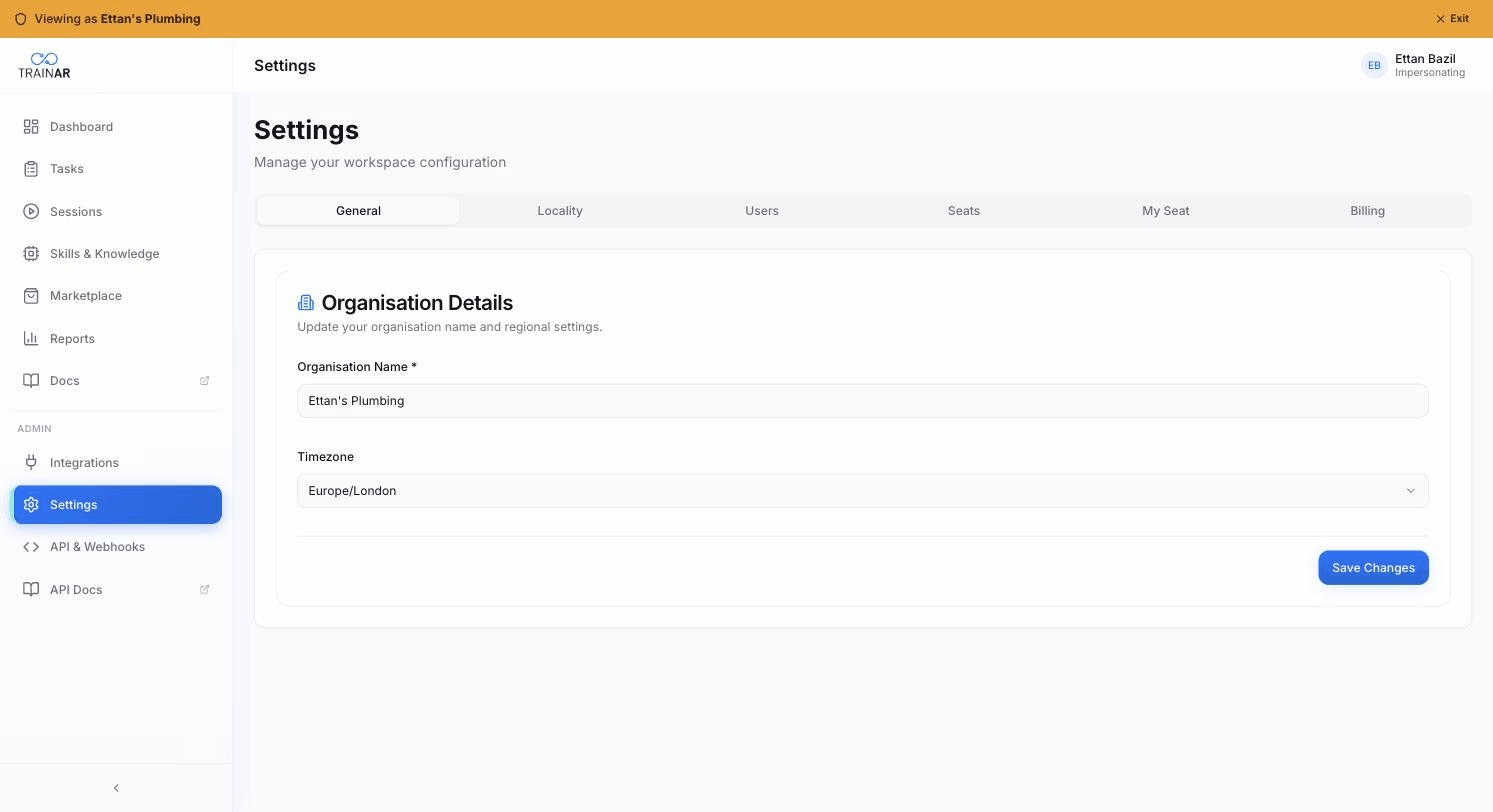
The tabs
| Tab | Who sees it | What it does |
|---|---|---|
| General | Everyone | Organisation name + timezone |
| Locality | Everyone | Country + language passed to the AI on the glasses |
| Users | Admins only | Invite, edit, deactivate, delete team members |
| Seats | Admins only | Add/remove seats, order or BYOH glasses, pair devices |
| My Seat | Everyone | Your own seat + device pairing status |
| Billing | Admins only | Subscription, packages, seats, coupon, minutes, invoices, Stripe portal |
The current tab is reflected in the URL (?tab=billing) so you can deep-link.
What's NOT in Settings
For clarity, the following are separate top-level surfaces in the Dashboard, not Settings tabs:
- Integrations - Dashboard → Integrations (its own page)
- API & Webhooks - Dashboard → API (its own page)
- Skills & Knowledge - Dashboard → Skills (its own page)
And the following don't exist as standalone Settings panels:
- No Notifications panel (admin notifications fire on billing events; not user-configurable)
- No SSO / SAML - TrainAR uses email + password auth today
- No Audit Log panel
- No Data Export panel (export individual reports from Reports; account-wide deletion is via support)
Where to next
- Organisation & locality - name, timezone, country, language
- Users & seats - team, seats, device pairing
- Billing & subscriptions - plan, seats, minutes, invoices