
What are skills?
Skills are the actions the AI assistant can take during a live training session.
Skills are the actions the AI assistant can take during a live training session. When an engineer asks a question or requests something from the glasses, the AI decides which skill to call, calls it, posts to the skill's webhook, and waits for the response - then speaks or displays the result.
What a skill is
A skill is a registered, named, described webhook the AI can invoke at runtime. Each skill row in your account has:
- A name the AI uses to identify it (snake_case, e.g.
look_up_warranty_status). - A display name shown in the Dashboard.
- A description that tells the AI when it should call the skill - this is the most important field, written in plain language.
- A parameters schema (JSON Schema) that defines the arguments the AI fills in from the conversation.
- A webhook URL - your HTTPS endpoint that receives the call.
- An HTTP method (POST or GET).
- An auth header (optional) for your endpoint to verify the call came from TrainAR.
- A timeout in milliseconds.
- Response handling - how the AI uses what comes back (see Skill response fields).
How a skill is called during a session
- Engineer says something to the AI - "What's the warranty on this boiler?"
- The AI scans the available skills for ones whose
descriptionmatches the intent. - The AI fills in the
parameters_schemafrom the conversation context (e.g. extracts a serial number). - The AI POSTs the JSON payload to the skill's
webhook_urland waits up totimeout_ms. - Your endpoint does whatever it needs to (lookup, calculation, write to your CRM, etc.) and returns a JSON response.
- The AI interprets the response - speaks it, displays it on the glasses, or both, per the skill's response configuration.
Where you manage skills
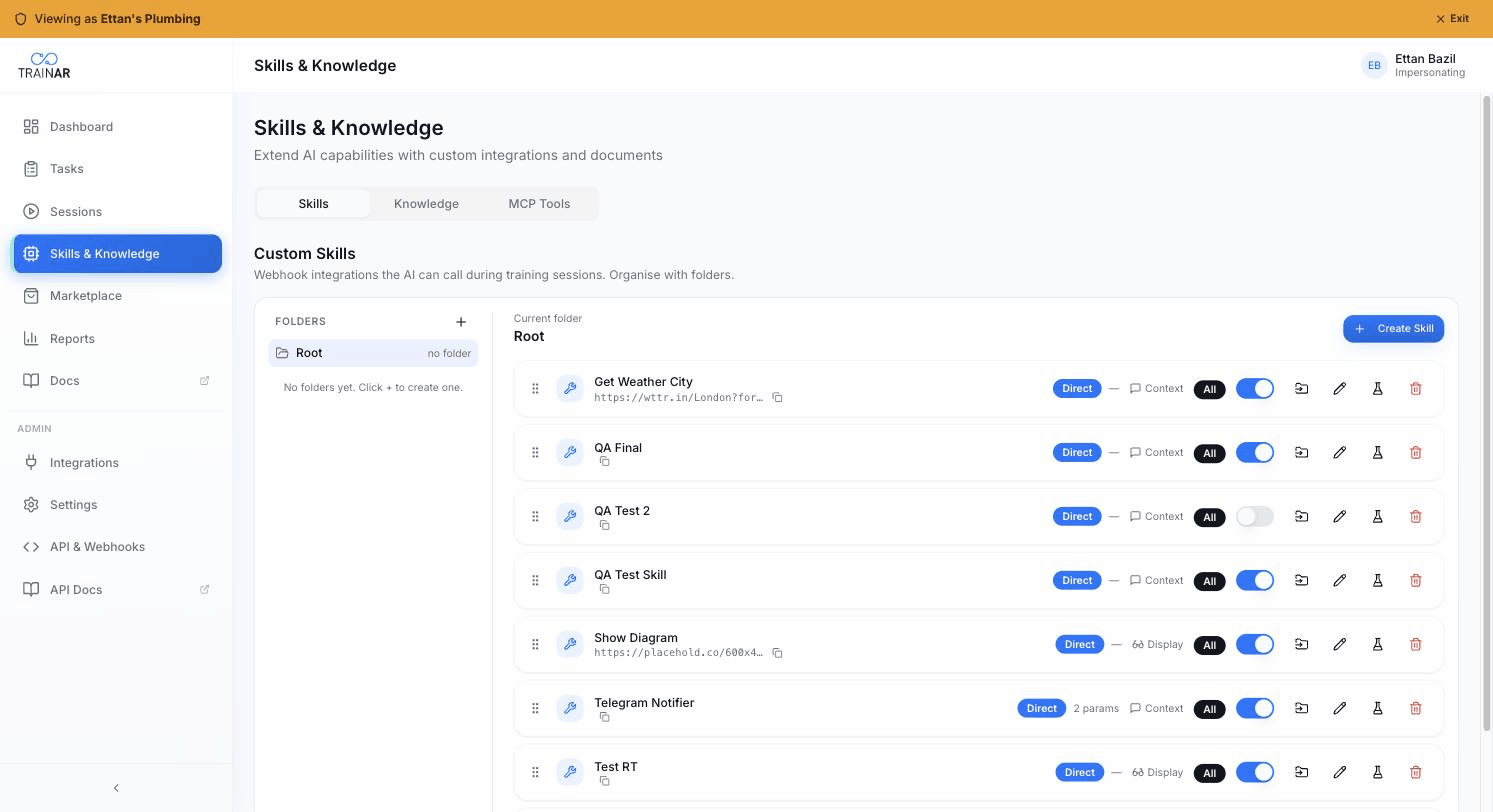
Dashboard → Skills & Knowledge → Skills tab. Admin role required. You'll see your account's skills listed, plus any platform skills entitled via Marketplace bundles (those are read-only).
From here you can:
- Create a new skill - see Creating a custom skill.
- Edit an existing skill - change description, parameters, response handling.
- Test a skill against your endpoint - see Testing a skill.
- Toggle active/inactive without deleting.
- Assign to specific seats or org-wide (the
assignment_scopecolumn).
What skills are NOT
- Skills aren't knowledge. Knowledge is documents the AI searches for content. Skills are actions the AI takes. A skill might use your knowledge inside its implementation, but they're separate concepts. See Knowledge overview.
- Skills aren't MCP tools. Skills are TrainAR's webhook-based action protocol. MCP Tools are tools the AI gets by connecting to third-party MCP servers. See MCP Tools overview.
- Skills aren't bundled with the platform automatically - except for a small set of system skills (
search_knowledge,capture_camera) that every account has. Everything else is either a platform skill entitled via a bundle, or an account skill you author.
Where to next
- Platform skills vs your own skills - the three tiers
- Creating a custom skill - the form, field by field
- Skill response fields - response_target, display_hint, response_scheduling
- Testing a skill - verify before going live