
Testing a skill
Before a skill goes live on the glasses, test it from the Dashboard.
Before a skill goes live on the glasses, test it from the Dashboard. The built-in test panel sends a real HTTP request to your webhook, shows the raw response, and catches problems before any engineer encounters them on-site.
Opening the test panel
Dashboard → Skills & Knowledge → Skills tab → row → Test (the flask icon - or open the skill and use the Test button in the edit form).
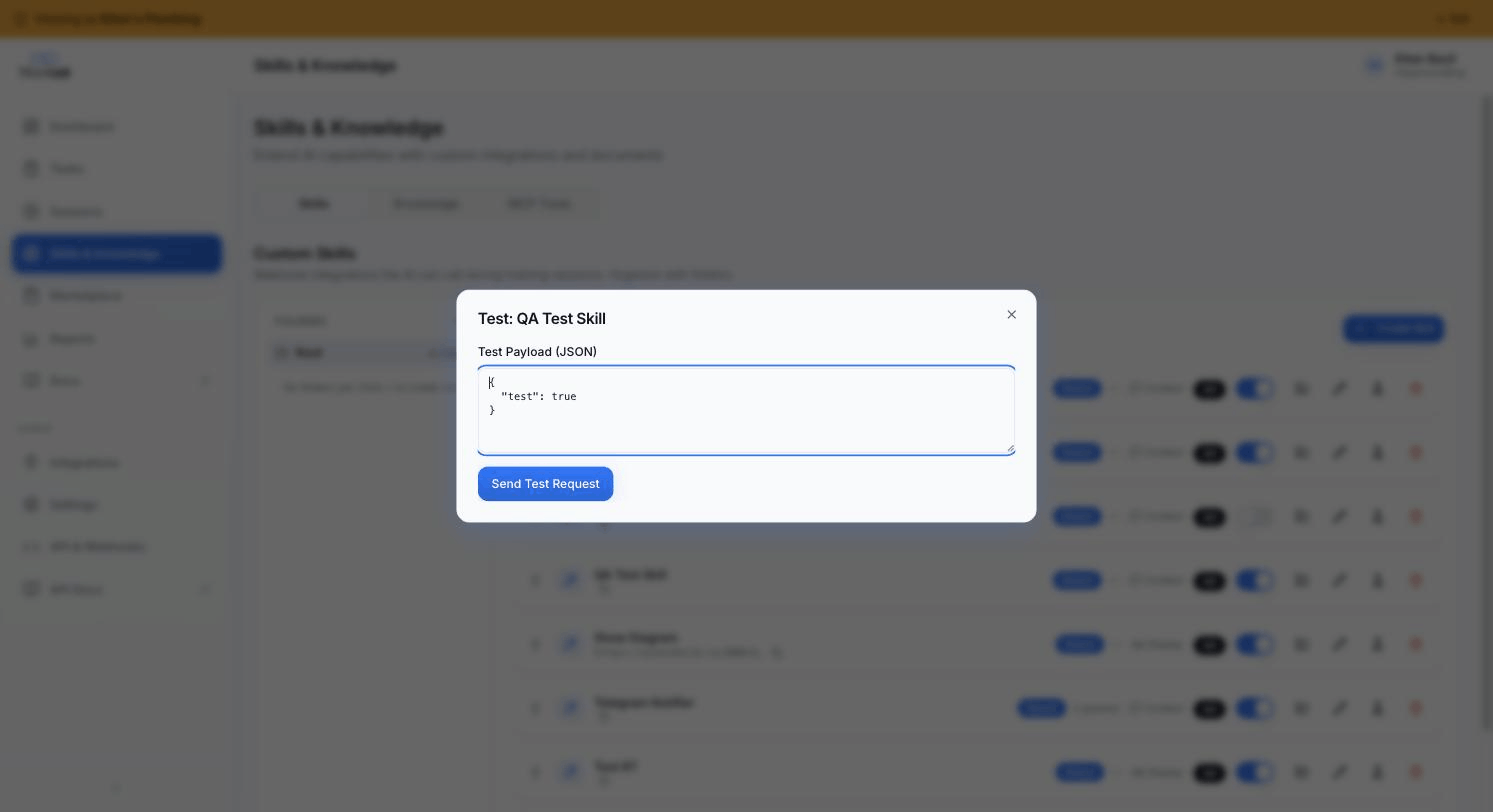
Sending a test request
The test panel shows a JSON payload editor pre-populated with { "test": true }. Replace this with a realistic payload that matches your parameters_schema.
For a skill with customer_id (string, required) and appliance_type (string, optional):
{
  "customer_id": "CUS-001234",
  "appliance_type": "boiler"
}
Hit Send. The Dashboard POSTs (or GETs, per the skill's http_method) to your webhook_url with your test payload + a synthetic session_context object.
Reading the response
The panel shows three things:
| Field | Meaning |
|---|---|
| HTTP status | What your endpoint returned (200 = good; anything else = something to investigate) |
| Latency | Round-trip time in ms. Watch this - anything regularly over 3-5s will make the engineer wait |
| Response body | Raw JSON returned by your endpoint, syntax-highlighted |
If your endpoint returned valid JSON, the panel renders it nicely. If it returned HTML or invalid JSON, you'll see the raw text - fix that on your endpoint before going live.
What to verify
- Status is 200 for the happy path.
- Response shape matches what the AI expects - see Skill response fields for the response_target-specific shapes.
- Latency is acceptable - under 3s for synchronous lookups, under 1s if possible.
- Auth header check works - temporarily flip the auth header to something wrong, confirm your endpoint rejects it.
- Required parameters are validated - send a payload missing a required field and confirm your endpoint returns a clean error, not a 500.
Common issues + fixes
| Symptom | Cause | Fix |
|---|---|---|
HTTP 401 |
Auth header wrong | Update the auth header in the skill row; confirm your endpoint accepts the format |
HTTP 404 |
URL wrong | Double-check webhook_url - common typo: forgot /v1/ or trailing path |
HTTP 500 |
Your endpoint crashed | Check your endpoint logs for the stack trace |
HTTP 504 (TrainAR-side) |
Timeout exceeded | Either speed up your endpoint or raise timeout_ms |
| Empty response body | Endpoint returned 204 No Content | Return JSON even on success - {"ok":true} is fine |
| Mangled JSON | Endpoint returned text/html or invalid JSON | Set Content-Type: application/json + return valid JSON |
Testing against staging vs production
If you have separate staging and production accounts on TrainAR, test against the staging account first - that way you're not testing against your live customers' data. Switch your skill's webhook_url to your staging endpoint when testing.
After the test panel passes
Toggle the skill to Active (the is_active field). The next session for an assigned seat will pick it up - typically within seconds of session start.
Where to next
- Creating a custom skill - the form, field by field
- Skill response fields - what your endpoint should return
- Error codes - TrainAR-side error semantics