
Supported AR glasses
TrainAR's Core App runs on two AR glasses platforms.
TrainAR's Core App runs on two AR glasses platforms. Both are full Android devices in a glasses frame — there's no phone in the loop.
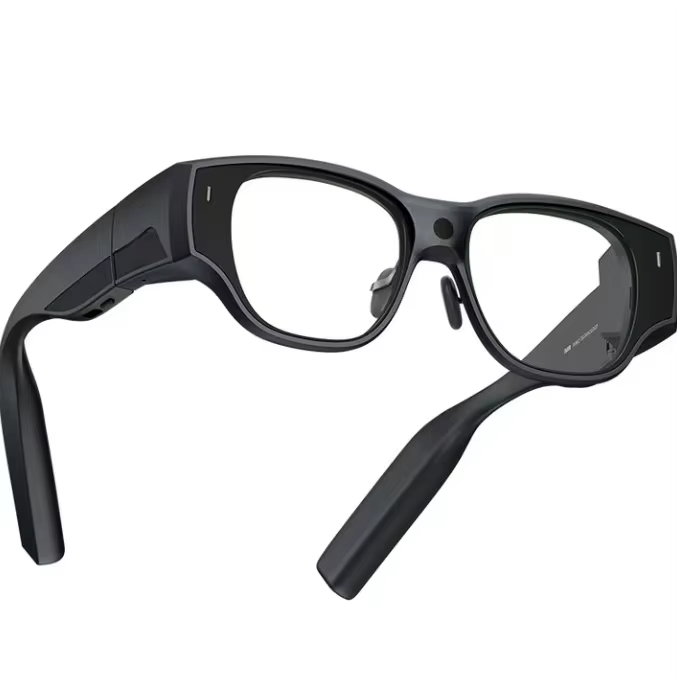
The two supported models
- INMO Air 3 (recommended) — Android-based smart-glasses with a right-eye micro-OLED display and an autofocus camera. The camera's focal range is short, so for QR pairing, larger codes scan more reliably.
- Vuzix Blade 2 — Android-based smart-glasses with a right-eye waveguide display and an open-ear speaker design. Slightly older platform, established in industrial use.
Both run TrainAR's Core App as a full Android app — no phone-in-the-loop.
Ordering hardware
Hardware is ordered through the Dashboard inside the Add Seat wizard's Choose Device step: Dashboard → Settings → Seats → Add Seat → Choose Device → Buy from TrainAR. (For an existing seat, open the seat's row detail and use the same flow.) The current per-model price, availability, and any financing options (e.g. Klarna for UK orders) are shown live in the Seat Hardware Selector — they're loaded from the platform catalogue, not stored in these docs.
If a price or option matters to a buying decision, take it from the Dashboard rather than this page.
Which to choose
For most teams: INMO Air 3. Better camera for the AI's capture_camera skill, which matters for jobs where the AI needs to see what the engineer is looking at (boiler control panels, wiring diagrams, model plates).
For teams already standardising on Vuzix or that prefer that platform: Vuzix Blade 2. Same Core App, same AI, same training workflows.
You can mix-and-match across seats — there's no requirement for a whole team to use the same model.
What the engineer sees
A small, semi-transparent display in the corner of one eye. When the AI assistant returns visual content (e.g. a manual page or an exploded parts diagram via the Parts Arena skills), it renders there. The engineer's actual field of view remains unobstructed — the display is supplementary, not blocking.
The engineer hears the AI through bone-conduction speakers (Inmo) or open-ear speakers (Vuzix) — both designed so background sounds (a customer talking, machinery, a doorbell) aren't muffled.
What you need on-site
- Wi-Fi or tethered LTE at the job. The Core App is a thin client and requires a live connection for AI sessions to work. Most engineers tether to a phone hotspot for jobs without site Wi-Fi.
- Charging breaks every 1.5–2 hours. Hardware ships with a USB-C charger. Most teams keep a spare battery pack in the van for back-to-back jobs.
Bring your own hardware
If you already own one of the supported models, you can register it as BYOH (Bring Your Own Hardware) when allocating a seat — no need to buy through TrainAR. See Managing seats for the BYOH flow.
What about other AR glasses?
We focus on the two devices above because they're the right balance of weight, battery, camera, and price for trade work today. We don't currently support other AR or VR headsets through TrainAR. If you're using a different device and want to ask about compatibility, drop us a line.